If your stores or offices run Samsung screens, you will run into VXT sooner or later. Samsung sells it as the successor to MagicINFO, and on new displays the player comes preinstalled inside the screen. The entry plan costs about the same as we do. The catch is that multi-screen sync, outage alerts, scheduled power on and off, and the API are locked away in higher plans that cost three times as much. VXT only works out cheaper if you can do without those features.
We don’t have plans. Every customer gets every feature and pays only for the number of screens, because we don’t want to limit customers by how much they pay.
How VXT works, and how Bohemica Signage works
VXT is a cloud content management system. You prepare content, playlists and schedules in the browser, and VXT sends them out to your screens. On Samsung displays running Tizen, the player lives inside the screen, so there is nothing to plug in behind it. Samsung lists support for signage displays from model year 2022 onwards. Outside the Samsung world, VXT runs on Android 10 and newer, on Windows, on BrightSign players and in a web player in Chrome.
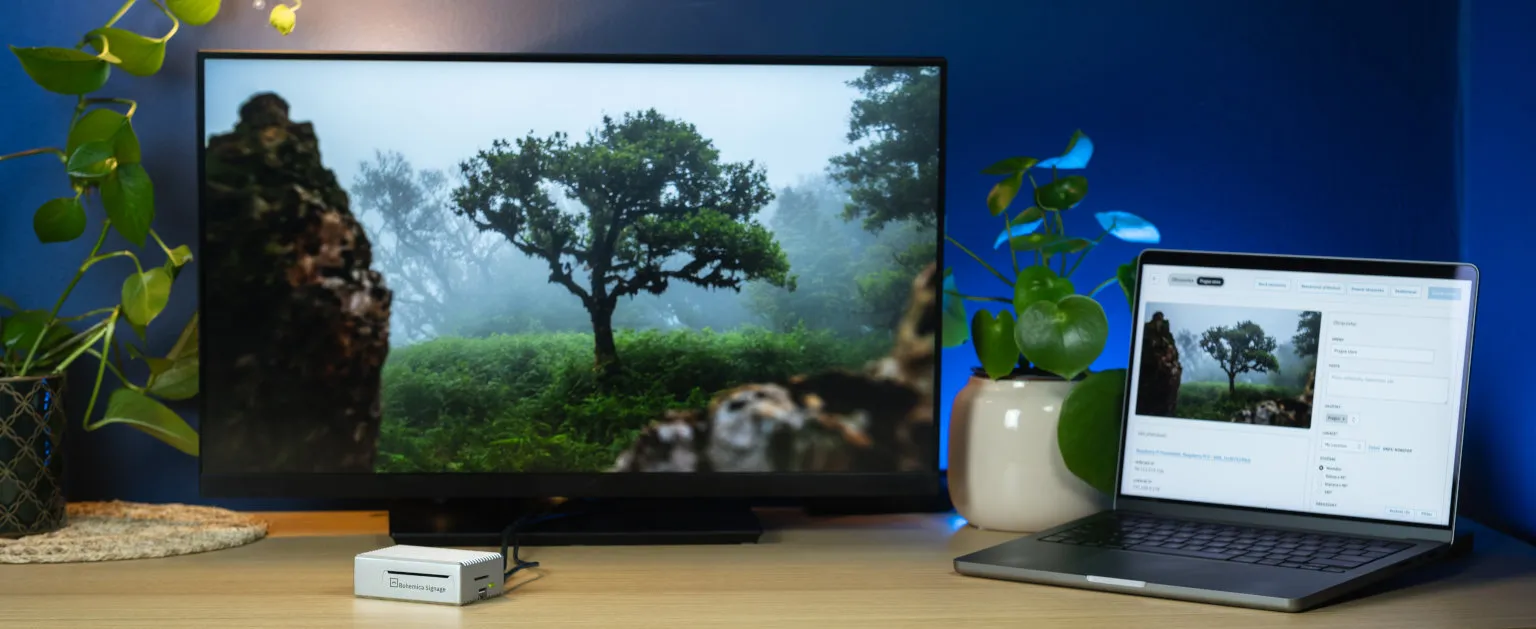
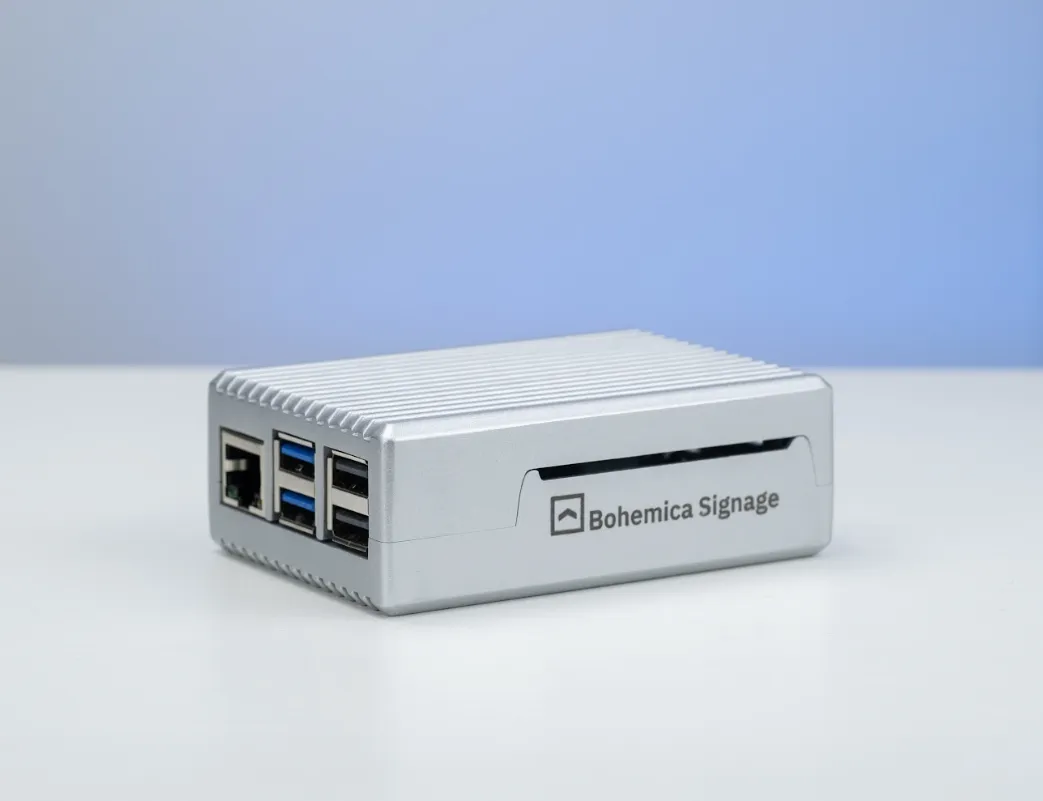
We do it the other way round. We recommend putting a small computer behind the screen, usually a Raspberry Pi 5, or an ASUS NUC for 4K. It plays the content and sends it to the display over HDMI, so the display can come from any manufacturer, even an ordinary TV. You don’t have to do it this way, though. Our player also runs in a browser, for example the one built into a smart TV. We still recommend a dedicated player because there we control the whole system, updates included. On professional Samsung and LG displays we can also control the power, so screens switch on and off with your opening hours.
Why don’t we run on Windows when VXT does? Windows wasn’t built for screens that nobody sits in front of. It can throw up a system dialog or start an update at the worst possible moment, say in the middle of an ad campaign in your shop window. Our player runs on a system that does nothing but play content, and a system dialog has never once appeared on a customer’s screen.
What VXT costs
Samsung doesn’t publish prices on its website and points you to a quote form. VXT Services, an authorized Samsung partner, does publish a price list. Prices are per screen per year:
| Plan | Who it’s for, according to Samsung | Price |
|---|---|---|
| VXT CMS S | small and medium businesses | €99 |
| VXT CMS P | system integrators and managed service providers | €299 |
| VXT CMS X | large enterprises, 24/7 phone support | on request |
There are also RM S and RM P plans that cover only remote management of the displays, with no content management. They make sense if you play content through another system. Bechtle in Poland sells a one-year CMS + RM Standard licence for 539 zł excluding VAT, roughly €125. If you want help getting started, VXT Services charges €998 for onboarding and €499 for training.
List prices aren’t the final word, though. Samsung sells licences through distributors and partners and refers buyers to an individual quote, so on larger projects the price is open to negotiation.
What Bohemica Signage costs
You pay monthly for each active screen, and the price per screen drops as the number of screens grows. The first screen is free for good.
| Number of screens | Per screen per month | Per screen per year |
|---|---|---|
| 2 to 9 | €8.90 | €106.80 |
| 10 to 19 | €7.90 | €94.80 |
| 20 to 49 | €6.90 | €82.80 |
| 50 to 99 | €5.90 | €70.80 |
| 100 or more | €5.50 | €66 |
There is no higher plan, and extra users cost nothing. Everything described below is included in the price.
If you need a guaranteed response time, you can add an SLA for €15 per screen per month. For larger numbers of screens, the SLA price is agreed individually.
What VXT’s entry plan includes and what needs a higher one
In its April 2026 brochure, Samsung publishes a breakdown of features by plan. Here are the ones our customers ask about most:
| Feature | VXT CMS S | VXT CMS P | Bohemica Signage |
|---|---|---|---|
| Video sync across multiple screens | no | yes | yes |
| Temporarily overriding the running playlist | no | yes | yes |
| Content with an expiry date | no | yes | yes |
| Problem alerts | no | yes | yes |
| Scheduled display power on and off | no | yes | yes, on supported Samsung and LG displays |
| Live screen preview | no | yes | yes |
| API for connecting your own systems | no | yes | yes |
| Sign-in with a company account (SSO) | no | yes | yes |
Features that matter in day-to-day operation
Syncing multiple screens
VXT can sync content and build video walls from 2 × 1 up to 10 × 10 displays without a hardware controller. That is only in the P plan, though, and according to the manual, sync works only between identical models. On Android and Windows the devices must run the same operating system with the same configuration, and the web player doesn’t support sync at all. All videos must be H.264, encoded with the same codec. Samsung doesn’t say how precisely the screens are aligned.
With us, video stays frame-accurate across multiple players, so you can build one large picture out of several screens without an expensive video wall controller.
Content priority
According to the VXT manual, only one schedule can be published to a screen at a time. For one-off content, VXT has a Takeover mode that temporarily overrides the running playlist and then returns to it. Again, that’s only in the P plan.
With us, every playlist has a priority. When two playlists overlap in time, the more important one plays, and once it ends the screen goes back to the original. A weekend promotion takes over the regular loop and disappears on Monday morning without anyone having to remember it.
Video that doesn’t stutter
VXT accepts video only as MP4, and the supported formats vary by display model. For sync there’s a limit of 4K at 60 frames per second on UHD displays and Full HD on FHD displays. Keeping within those limits is up to whoever uploads the content.
With us, you can have a video converted when you upload it. It’s optional, but we recommend it: we prepare the video in several qualities up to 4K, and each screen gets the version its player and display can play smoothly. You don’t have to think about codecs or bitrates.
In-store music and ad spots
VXT plays audio only as MP3. For in-store music it relies on the Stingray Music app, which streams ready-made, ad-free playlists. At launch it was available in the US and Canada. We found nothing about ad spot scheduling in the VXT documentation.
With us, you play your own music in mp3, wav, aac, flac, m4a, wma or ogg and slot ad spots in between the songs. Each group of spots has its own frequency, from 1 to 120 plays per hour, and the spots are spread evenly across the hour. A report then shows how many times each spot actually played against the plan, which you can show to the suppliers you sell the ad time to.
Users and departments
Here the two systems are similar. VXT doesn’t charge for extra users and keeps departments or clients apart with workspaces. Finer-grained, tag-based permissions come only with the P plan, though.
With us, the number of users is unlimited, administrator, editor and media manager roles are included, and you can keep departments or brands separate within one account.
Which one is cheaper
If you have fewer than ten displays and the S plan is enough for you, VXT is cheaper. At €99 a year against our €106.80, you save just under eight euros per screen. In exchange, you give up everything in the table above.
As soon as you want to know a screen has gone dark at one of your locations before a customer tells you, or you’re building a video wall, you need VXT’s P plan. For a network of 50 screens, it works out like this:
- €14,950
- per year for VXT CMS P (50 × €299)
- €3,540
- per year for Bohemica Signage (50 × €70.80)
- €11,410
- difference in a single year
On top of our price you need players, unless you use the browser in the TV. A Raspberry Pi 5 with power supply, case and memory card comes to around €100, so about €5,000 one-off for 50 screens. The licence savings cover that within the first year. If you already own Samsung displays with Tizen, VXT saves you that cost, since the player is built into the screen.
Where vendor lock-in comes in
VXT ties you to Samsung less than you might expect. It also runs on Android, Windows and in the browser. You only get the full feature set on Samsung displays, though. Brightness control requires Samsung hardware, and according to Samsung’s own overview, Android and Windows lack things like remote configuration and early problem warnings.
The way Samsung is winding down MagicINFO says more about lock-in. It shipped the last security patch for MagicINFO 8 in October 2023, and its own notice says that vulnerabilities and bugs have been the customer’s responsibility ever since. It recommends a paid upgrade to MagicINFO 9 or a move to VXT. Samsung’s partners say the on-premise version of MagicINFO stops being sold at the end of 2026 and support for MagicINFO 9 ends in December 2029. Customers who once bought a perpetual licence are moving to an annual subscription. Older S3 and S4 series displays won’t get the VXT player at all.
We don’t hold that against Samsung. All software reaches its end eventually. It does show who makes the call, though: when support ends for the software inside your display, the manufacturer sets the timing, not you. A display like that can still be used with an external player, ours for example.
You’re not entirely free of lock-in with us either. Bohemica Signage is a subscription service too. The difference is the hardware. A Raspberry Pi and an ASUS NUC are ordinary computers, and the display is an ordinary screen with HDMI. If you leave us, you keep the hardware and can use it with another system.
Cloud or your own server
VXT runs only in Samsung’s cloud. There’s no version for your own server or for a network cut off from the internet, and according to Samsung’s partners, there’s no published plan for one. Anyone who used to run MagicINFO on their own server loses that option when moving to VXT.
Most of our customers use the cloud as well. For enterprise deployments, though, we can run the system on the customer’s own server. We know what corporate IT departments ask for: Žabka is part of the Tesco group, and before going live we had to pass the group’s security benchmark. We passed and became a verified supplier. Sign-in is protected by two-factor authentication or a Google or Microsoft company account, we manage players through an encrypted tunnel that isn’t reachable from the internet, and an audit log records who did what in the system.
Who you deal with
You buy VXT through Samsung’s distributors and partners. When something breaks, Samsung’s brochure says you go to the VXT Assistant chatbot first and only then to a ticket in the system. On the S plan, email support answers within one business day, and phone support comes only with the top X plan.
Bohemica Signage is built by Bohemica Studio, an agile team of developers. We build the system ourselves and know the whole stack it runs on, from the player to the server. We have our own in-house IT department, and you talk to us directly, with no middlemen. When a customer gets in touch with a problem, they’re talking to the people who can fix it. With Žabka, four days passed between first contact and the pilot store going live.
Where VXT is better
On a Samsung display you don’t need an extra box, and the player inside the screen has access to every VXT feature. There’s no separate computer with its own power supply that can fail, and on a large network you notice that both during installation and when servicing. We can play content in a TV’s browser too, but we only have full control of the system on our own player.
VXT has its own editor, VXT Canvas, with hundreds of templates, widgets and AI image generation, so you can design content right inside the system. We don’t have an editor, and we don’t want one. Canva, Figma and Photoshop are far ahead of anything we could build, and most of our customers already use them. So we recommend preparing content there, or ordering it from an agency, and uploading the finished images, videos or web pages to Bohemica Signage.
Samsung also supports its own specialized hardware, such as LED walls, outdoor displays and color e-paper. If you’re building your network on those, VXT is the natural choice.
Which one fits when
VXT makes sense when you’re buying new Samsung displays, you have only a few of them, and playing content on a schedule is all you need, which is what the S plan covers. It also suits you if you want to design content inside the signage system itself rather than in a separate tool.
Bohemica Signage pays off as soon as you need anything from the table above and don’t want to pay three times as much for it. It’s also the better fit if you have displays from different brands or older screens that VXT doesn’t support, if you want to play music with ad spots in your stores, or if your IT requires running on your own server.
Žabka faced a similar situation. Content across its stores was split between USB sticks and software from the TV manufacturers, each with its own environment. We describe how they solved it in the case study.
At a glance
| Samsung VXT | Bohemica Signage | |
|---|---|---|
| Where the player runs | in Samsung displays, Android 10+, Windows, BrightSign, Chrome | recommended: Raspberry Pi 5 (Full HD) and ASUS NUC (4K), also runs in a browser, for example on a TV |
| Which display | full features only on Samsung | any with HDMI or a browser |
| Hosting | cloud only | cloud, or your own server for enterprise deployments |
| Price | €99 (S) or €299 (P) per screen per year | €66 to €106.80 per screen per year, first screen free |
| Plans | S, P, X, features depend on the plan | one, everything unlocked |
| Screen sync | from the P plan, identical models only | included |
| Video conversion | no, you upload MP4 | optional, recommended |
| In-store music | Stingray Music | your own music with ad spots |
| Users | unlimited | unlimited |
| Content editor | VXT Canvas with templates | deliberately not, we recommend Canva or Figma |
If you’re considering VXT, try one screen with us first. It’s free for good, you don’t need a credit card, and it comes with every feature. If you don’t have a Raspberry Pi of your own, we’ll lend you one. Prices for larger networks are on the pricing page.
Sources
- Samsung: VXT brochure with features by plan, April 2026 (PDF, in German)
- Samsung VXT: plans and supported devices
- Samsung VXT: features
- VXT CMS manual: playlists
- VXT CMS manual: schedules
- VXT CMS manual: workspaces
- VXT CMS manual: notes on the player
- Samsung: end of support for MagicINFO 8
- Samsung: Stingray Music on VXT
- VXT Services (authorized Samsung partner): pricing
- Bechtle PL: VXT CMS + RM Standard
- Fingoweb: VXT vs. MagicINFO, end-of-sale and end-of-support dates